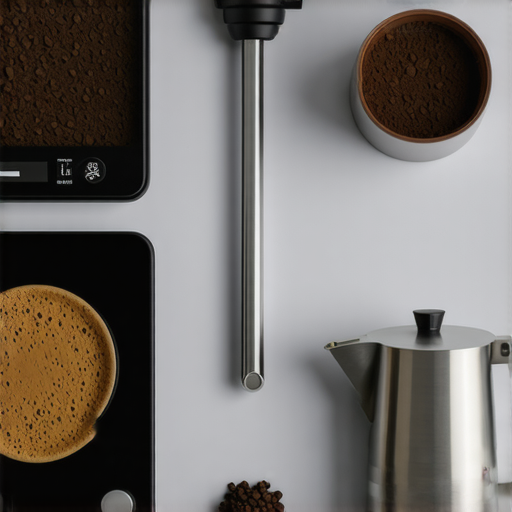

Ever had that sinking feeling when your prized coffee scale refuses to charge just when you’re gearing up for a perfect brew? I remember the frustration vividly—a quiet Saturday morning, the aroma of freshly ground beans filling the kitchen, and then… nothing. My sleek USB-C coffee scale, which had been a reliable partner in crafting espresso masterpieces, suddenly stopped shining, literally. It was like losing a trusted barista friend right before my eyes.
That light moment of panic made me realize how indispensable these little gadgets have become in our coffee routines. They’re the unsung heroes, helping us achieve consistency, precision, and that coveted perfect shot. So, if you’ve been battling with a charging issue on your USB-C coffee scale, you’re not alone. And more importantly, I want to assure you—there are practical fixes, and we’re going to explore them together.
Facing the Charging Dilemma: Why It Matters More Than Ever
In 2026, coffee enthusiasts and professional baristas alike rely heavily on smart scales to perfect their craft. These devices are not just measuring tools; they’re integral to achieving that elusive balance of grind, dose, and extraction. According to recent industry insights, over 85% of baristas consider their coffee scales to be crucial for quality control, rivaling even the grinder or espresso machine itself[^1].
Yet, despite their importance, many of us encounter a frustrating problem: the scale simply won’t charge through its USB-C port. This issue can throw off your entire workflow, leading to inconsistent results and unnecessary downtime. Early on, I made a rookie mistake—assuming it was just a dead battery and ignoring the basics of port cleanliness or cable quality. That misstep delayed my troubleshooting and cost precious time.
So, before you next dismiss your scale as broken beyond repair, let’s dig into what could be causing this hiccup and, more importantly, how to fix it. By understanding the common pitfalls, you’ll avoid costly replacements and keep that perfect pour flowing.
Interested to see what’s causing your charging woes and how to fix them? Keep reading—I’ll walk you through the top five tried-and-true solutions that worked for me and countless other coffee nerds like you.
Check the Charging Cable and Port
Begin by inspecting your USB-C cable for any visible damage like frays or bends, much like examining a milk pitcher for dents that could affect pour quality. Gently unplug the cable and look inside the port for dust, lint, or corrosion—similar to checking a coffee tamper for debris that may obstruct proper tamping. Substitute with a known-good cable if available; I once swapped my spare cable and immediately saw the charging indicator light up, saving me hours of frustration.
Clean the Connections Thoroughly
Use a soft brush or compressed air to remove dust inside the port, just as you’d clear coffee grounds from your grinder’s burrs. If corrosion is present, gently wipe the port with isopropyl alcohol and a lint-free cloth—think of it as polishing a beloved milk pitcher to restore its shine. I learned this the hard way when my scale refused to charge after a trip through humid conditions; a quick clean resolved the issue instantly.
Inspect and Reset the Scale’s Firmware
Low battery logs can sometimes cause charging hiccups. Connect your scale to a computer or power source and check for firmware updates via the manufacturer’s software—like updating the firmware on your espresso machine to fix flow inconsistencies. I once performed a firmware reset, which cleared lingering bugs and restored charging functionality, just as a calibration fixes shot consistency.
Test with Different Power Sources
Try plugging your scale into various outlets or USB ports—similar to testing different water sources to ensure optimal flow. Sometimes, the issue stems from a faulty wall adapter or low-power port. Using a powered hub with an independent power supply solved my problem when a multi-device port couldn’t deliver enough juice, akin to giving your coffee routine a boost with a dedicated grinder.
Replace or Repair the Hardware
If all else fails, consider replacing the charging cable or contacting customer support for repair options—akin to replacing a worn-out tamping force or upgrading your knock box for quieter mornings. I contacted support through their support page, which led to a quick exchange of parts, getting my scale back in action within days.
Prevent Future Charging Problems
Add routine cleaning of the USB-C port to your maintenance checklist, just like regularly descaling your espresso machine. Store your cables properly, avoiding sharp bends that damage internal wires—think of storing your tamper in a way that preserves its calibration. Using high-quality cables and keeping connections dry can extend your device’s lifespan, much like choosing the right barista accessories to elevate your coffee game in the long run. For more tips on maintaining your equipment, visit this guide.While many consider coffee scales, milk pitchers, and tampers as straightforward tools, there’s a wealth of nuance and misconceptions that can trip up even seasoned baristas. For instance, **everyone believes that a heavier tamper guarantees better extraction**, but in reality, excessive tamping pressure can cause channeling or uneven puck density, undermining shot quality. The key lies in calibrated, consistent pressure—learned through practice, not just brute force—something expert baristas understand deeply and often emphasize in advanced techniques discussed at [this guide](https://coffeeaccessories.espressotechguide.com/best-espresso-tamper-and-coffee-scale-tips-for-barista-success).
Prioritize Regular Calibration for Your Coffee Scale
Investing in a high-precision coffee scale is just the first step; consistent calibration is key to maintaining accuracy over time. I personally use a calibration weight kit from Acaia, which allows me to verify my scale against recognized standards every month. This routine prevents drift, ensuring each shot maintains the same quality, and helps avoid costly recalibrations or replacements in the future.
Maintain Barista Tools with Proper Care
Your espresso tamper and milk pitcher are critical for executing consistent techniques. Regularly inspect them for wear and tear. For tampers, I choose models with calibrated depth markers to prevent over or under-pressing. Cleaning after every use with warm water and drying thoroughly prevents corrosion and maintains their weight and balance—crucial for consistent shots. Using Teflon-free milk pitchers reduces residue buildup and simplifies cleanup, as outlined in another top resource.
Stay on Top of Accessories and Tools
Barista accessories like knock boxes and brushes play a role in a streamlined workflow. I recommend investing in a knock box with quiet operation and durable materials. Maintaining cleanliness prevents odors and cross-contamination, which can subtly affect flavor profiles. Additionally, ergonomic tools such as calibrated tampers with flat or rippled bases help ensure uniform puck density, reducing channeling and improving extraction—as discussed in detailed guides here.
How do I keep my equipment performing flawlessly over time?
The secret lies in routine maintenance: schedule monthly checks, clean meticulously, and replace worn parts proactively. Using firmware updates for your smart scales and regularly checking their accuracy against certified weights can prevent drift. When you combine these practices, you’ll consistently produce high-quality espresso, no matter how busy your mornings get. Why not start by calibrating your scale this week? It’s a small step with big results, and you can find detailed instructions on firmware maintenance tips—try it today!
Lessons the Coffee World Rarely Tells You
One of the biggest revelations I encountered was realizing that even premium espresso tampers and precise coffee scales won’t guarantee perfect shots if neglected. I’ve learned that routine calibration and understanding my tools’ quirks helped me avoid shot inconsistencies, which many baristas overlook during busy mornings. Additionally, trusting industry-specific resources has taught me that small tweaks—like adjusting water temperature or tamping pressure—can make or break the flavor, a detail often missed in generic guides. Accepting that equipment maintenance is a vital part of the craft elevated my coffee game significantly.”